

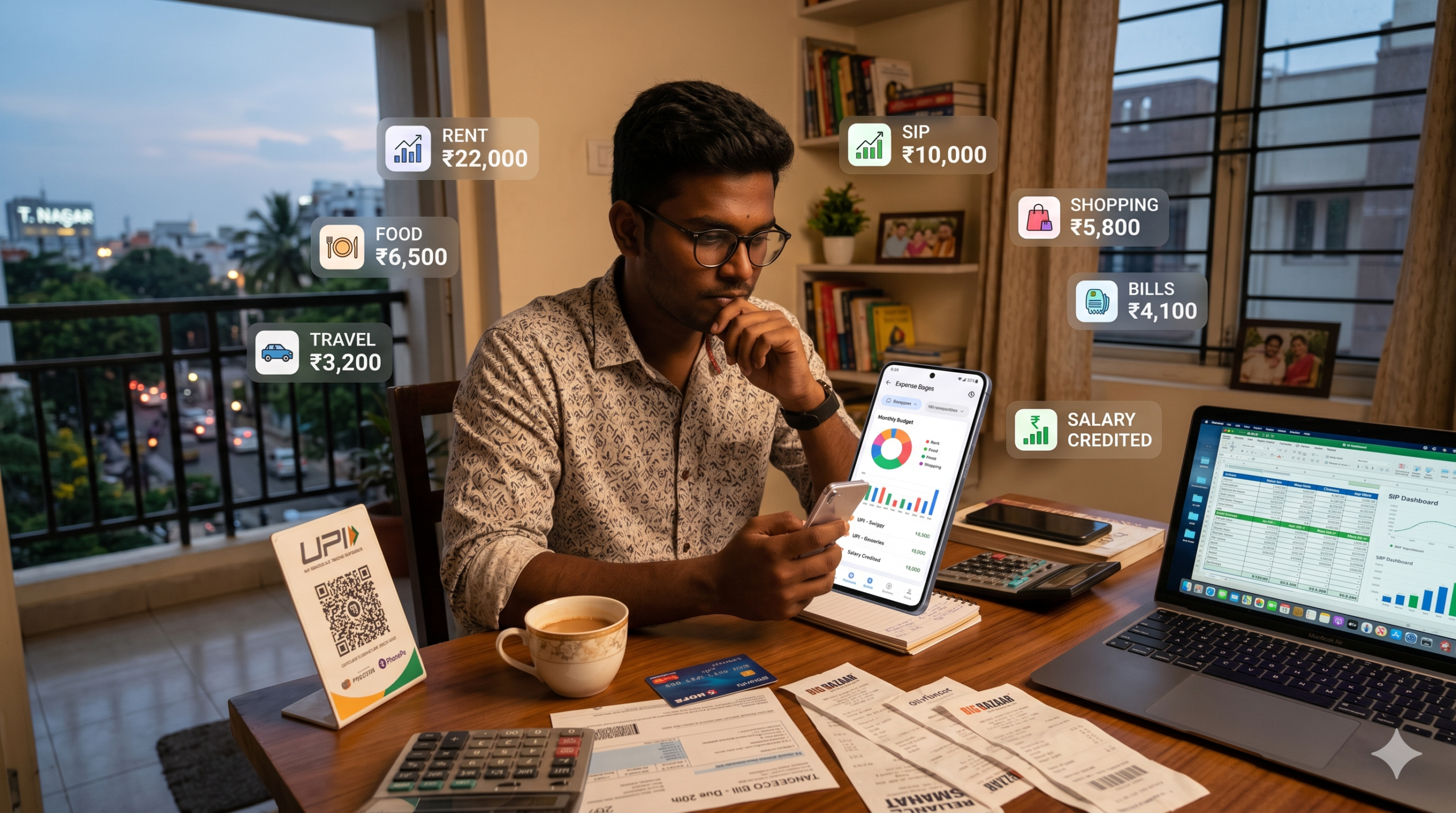
Most people in India know they spend too much.
The real problem is they don’t know where the money goes.
UPI payments, food delivery, subscriptions, EMI deductions, and random online shopping quietly drain your salary. By month-end, the account balance looks broken.
The good news?
You no longer need Excel sheets or daily manual entries.
In this guide, you’ll learn how to track expenses automatically in India using apps, bank features, and simple systems that work in real life.
Quick Answer: How to Track Expenses Automatically in India
- Use expense tracking apps that connect to SMS and bank alerts
- Categorize spending into food, rent, travel, bills, and shopping
- Track UPI, credit card, and bank transactions in one place
- Set monthly limits and alerts for overspending
- Review reports once every week for 10 minutes
What Is Automatic Expense Tracking?
Automatic expense tracking means your spending gets recorded without manual entry.
The app reads:
- Bank SMS alerts
- UPI transaction messages
- Credit card notifications
- Bank account activity
It then sorts expenses into categories automatically.
Example:
- Swiggy → Food
- Uber → Travel
- Amazon → Shopping
- Electricity bill → Utilities
This gives a real picture of your spending habits.
Why Most Indians Fail to Track Expenses
People don’t fail because budgeting is hard.
They fail because manual tracking becomes annoying after 3 days.
Real life gets busy.
You won’t open a spreadsheet after every tea, auto ride, or UPI payment.
That’s why automation matters.
Best Ways to Track Expenses Automatically in India
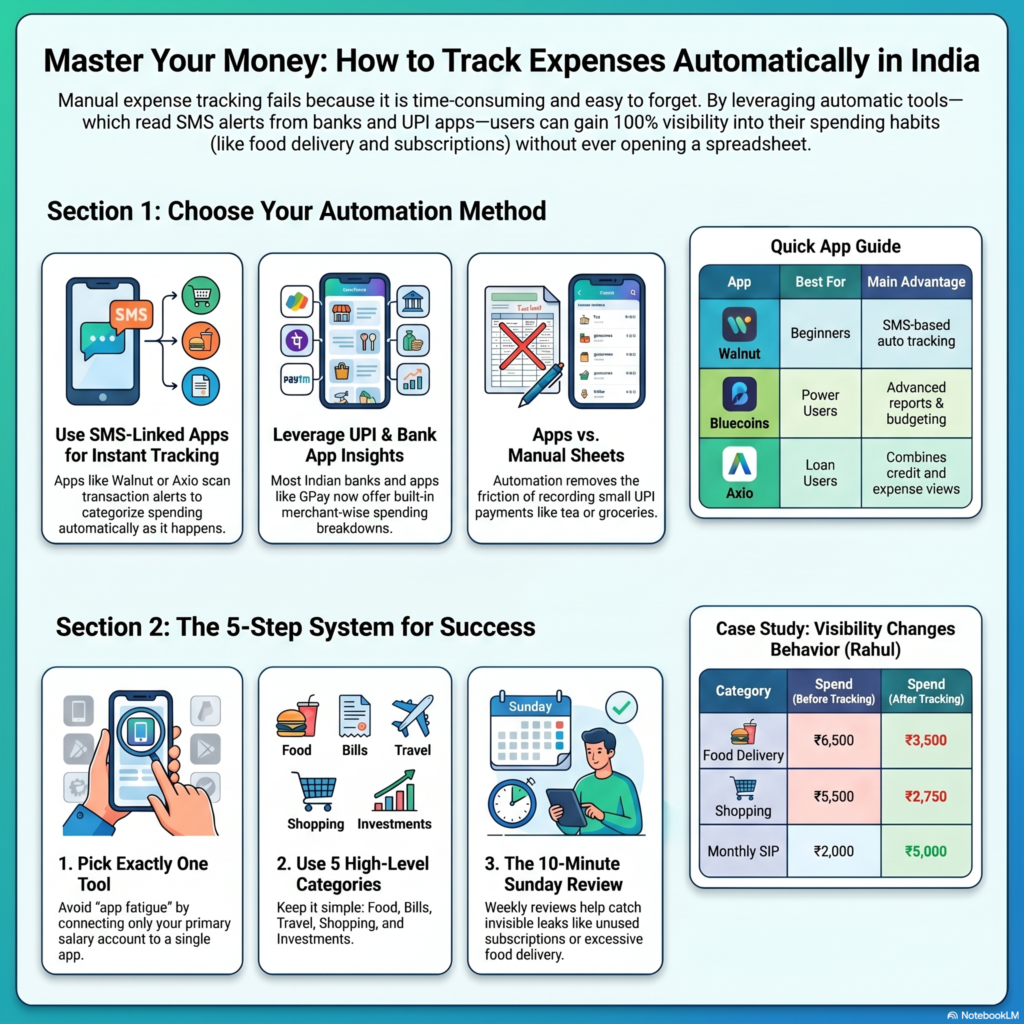
1. Use Expense Tracker Apps Connected to SMS
This is the easiest method.
Apps scan transaction SMS alerts and build reports automatically.
Popular apps in India include:
- Walnut
- Money Manager
- Axio
- Bluecoins
- Spendee
Why it works
Most Indian payments generate SMS alerts instantly.
The app captures:
- UPI payments
- ATM withdrawals
- Credit card spending
- Bill payments
- Salary credits
Best for
- Salaried employees
- Students
- Beginners in personal finance
Example
You pay:
- ₹220 on Zomato
- ₹450 petrol
- ₹799 internet bill
The app automatically categorizes them.
No manual entry needed.
Action Step
Install one app first.
Do not install five apps together.
Track spending for 30 days before switching.
2. Use Your Bank’s Built-In Spending Analysis
Many Indian banks now offer expense insights inside their apps.
Banks like:
- HDFC Bank
- ICICI Bank
- Axis Bank
- State Bank of India
already show:
- Monthly spending
- Merchant-wise breakdown
- Credit card usage
- EMI obligations
Why it works
The data is accurate because it comes directly from your account.
Best for
- People uncomfortable sharing SMS access
- Credit card users
- Minimalists
Problem
Most bank apps still lack detailed budgeting features.
3. Track Expenses Through UPI Apps
Some UPI apps already show payment history and spending trends.
Apps like:
- Google Pay
- PhonePe
- Paytm
can help identify where money disappears.
Why it works
Most daily Indian spending now happens through UPI.
Tea shops, groceries, autos, subscriptions — everything uses QR payments.
Best for
- People using cash very rarely
- Freelancers
- Young professionals
Problem
UPI apps alone won’t show complete finances.
Cash expenses and credit cards may get missed.
How to Track Expenses Automatically Using Google Sheets
Some people want more control without paid apps.
This method works surprisingly well.
Step 1: Export Bank Statements
Download monthly statements in CSV format.
Most Indian banks allow this.
Step 2: Connect to Google Sheets
Import CSV automatically.
Use categories like:
- Food
- Rent
- Fuel
- Shopping
- SIP
- Insurance
- Loans
Step 3: Create Auto Rules
Example:
- Swiggy → Food
- IRCTC → Travel
- LIC → Insurance
Google Sheets formulas can auto-sort transactions.
Why this method works
You fully own the data.
No app subscriptions.
No privacy concerns.
Best for
- Finance nerds
- Freelancers
- Business owners
Problem
Setup takes effort initially.
Best Expense Tracking Apps in India (Comparison)
| App | Best Feature | Good For | Main Problem |
| Walnut | SMS-based auto tracking | Beginners | Too many notifications |
| Bluecoins | Advanced reports | Serious budgeters | Slight learning curve |
| Axio | Credit + expenses | Loan users | Limited customization |
| Money Manager | Clean UI | Simple users | Manual edits sometimes needed |
| Spendee | Shared budgeting | Couples/families | Some features paid |
Step-by-Step System That Actually Works
Most people overcomplicate budgeting.
Use this simple setup instead.
Step 1: Pick One Main Expense Tracker
Not three.
One.
Otherwise you’ll quit.
Step 2: Connect Salary Account
Use your primary salary account only initially.
Avoid adding all accounts together immediately.
Step 3: Create 5 Expense Categories Only
Do not create 25 categories.
Start with:
- Food
- Bills
- Travel
- Shopping
- Investments
Simple systems survive longer.
Step 4: Set Monthly Spending Limits
Example:
| Category | Limit |
| Food | ₹6,000 |
| Shopping | ₹3,000 |
| Petrol | ₹4,000 |
| Entertainment | ₹2,000 |
The goal is awareness first.
Not perfection.
Step 5: Review Every Sunday
Spend 10 minutes weekly.
Check:
- Biggest expense
- Unnecessary subscriptions
- Swiggy/Zomato overspending
- EMI pressure
That alone changes behavior.
Real-Life Example (Indian Salary Scenario)
Rahul earns ₹45,000 monthly in Chennai.
Before tracking expenses, he felt broke every month.
Here was his actual spending:
| Expense | Monthly Spend |
| Rent | ₹12,000 |
| Food delivery | ₹6,500 |
| Petrol | ₹4,000 |
| OTT subscriptions | ₹1,200 |
| Shopping | ₹5,500 |
| SIP investment | ₹2,000 |
| Misc UPI spends | ₹7,000 |
The problem wasn’t low income.
It was invisible spending.
After using automatic tracking:
- Food delivery dropped to ₹3,500
- Shopping reduced by half
- SIP increased from ₹2,000 to ₹5,000
No extreme budgeting involved.
Just visibility.
Common Mistakes People Make
1. Tracking Every Rupee Manually
This dies within a week.
Automation exists for a reason.
2. Using Too Many Apps
People install six finance apps.
Then stop using all of them.
3. Ignoring Small UPI Payments
₹80 here. ₹120 there.
That’s where money leaks happen.
4. Never Reviewing Reports
Tracking alone changes nothing.
You must review spending weekly.
5. Hiding Credit Card Spending
Many people mentally ignore credit card expenses.
Until the bill arrives.
Pro Tips That Actually Help
- Keep one account only for expenses
- Use another account for investments and savings
- Turn off one-click shopping apps late at night
- Set SIP auto-debits immediately after salary day
- Use credit cards only if expenses are already tracked
Tools Worth Trying
If you want a simple setup:
- Walnut for automatic SMS expense tracking
- Bluecoins for advanced budgeting
- Google Pay for UPI monitoring
- PhonePe for daily spending visibility
For investing and savings automation:
- Groww
- Zerodha
- ET Money
These help automate SIPs and long-term investing.
FAQs
Which is the best expense tracker app in India?
Walnut is good for beginners.
Bluecoins is better for detailed budgeting.
Are expense tracker apps safe?
Most apps read transaction SMS only.
Still, avoid unknown apps with poor reviews.
Can I track UPI expenses automatically?
Yes. Most apps detect UPI payment SMS alerts automatically.
Is Excel better than expense tracking apps?
Excel gives more control.
Apps are easier for daily use.
How often should I review expenses?
Weekly is enough for most people.
Can expense tracking improve savings?
Yes. Most people underestimate daily spending massively.
Conclusion
Automatic expense tracking works because it removes friction.
You don’t need complicated budgeting systems.
You need visibility.
Start with one app.
Track spending for 30 days.
Review weekly.
That alone will expose where your money actually goes.
And once spending becomes visible, controlling it becomes easier.